

How to Pay Your Invoice
We are updating our invoices and how online payments are processed. Going forward, online credit card payments will be made through Karbon, and direct debit will be available as a new payment option. All other payment methods will remain unchanged (e-transfer, ACH, wire transfer, online banking, credit card by phone, and cheque). Instructions for using Karbon are provided below.
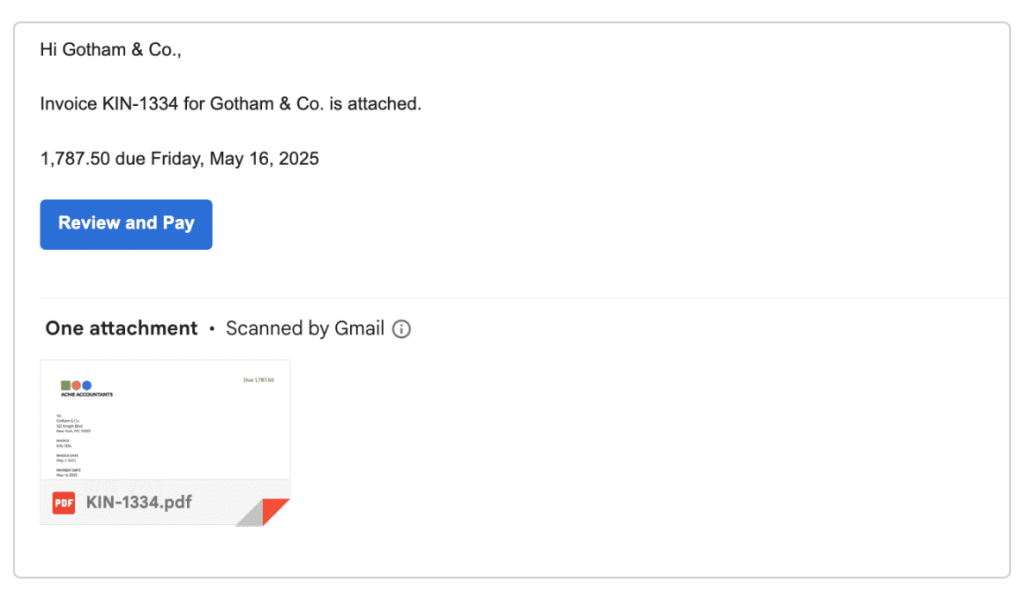
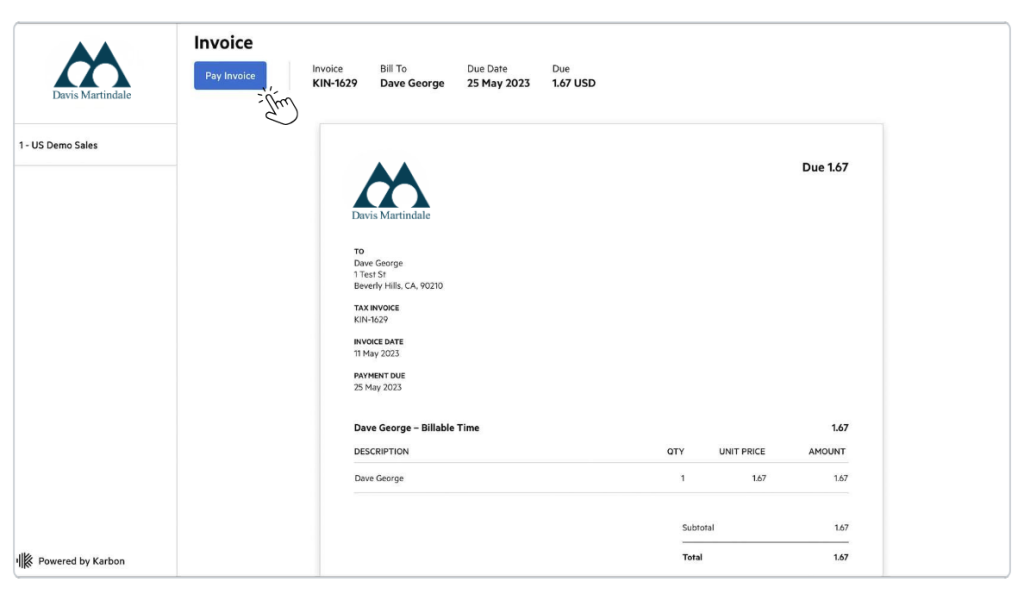
You may notice that our invoices look a little different. We’ve refreshed the presentation to make it a little more straightforward — so you always know exactly what you’re looking at.
Option 1: Pay by credit card
1. Open your invoice
Click the link in the email you received from your accountant. This takes you to Karbon where you can review your invoice. When you’re ready, click the “Pay Invoice“ button in the top-left corner to proceed.
2. Enter your credit card details
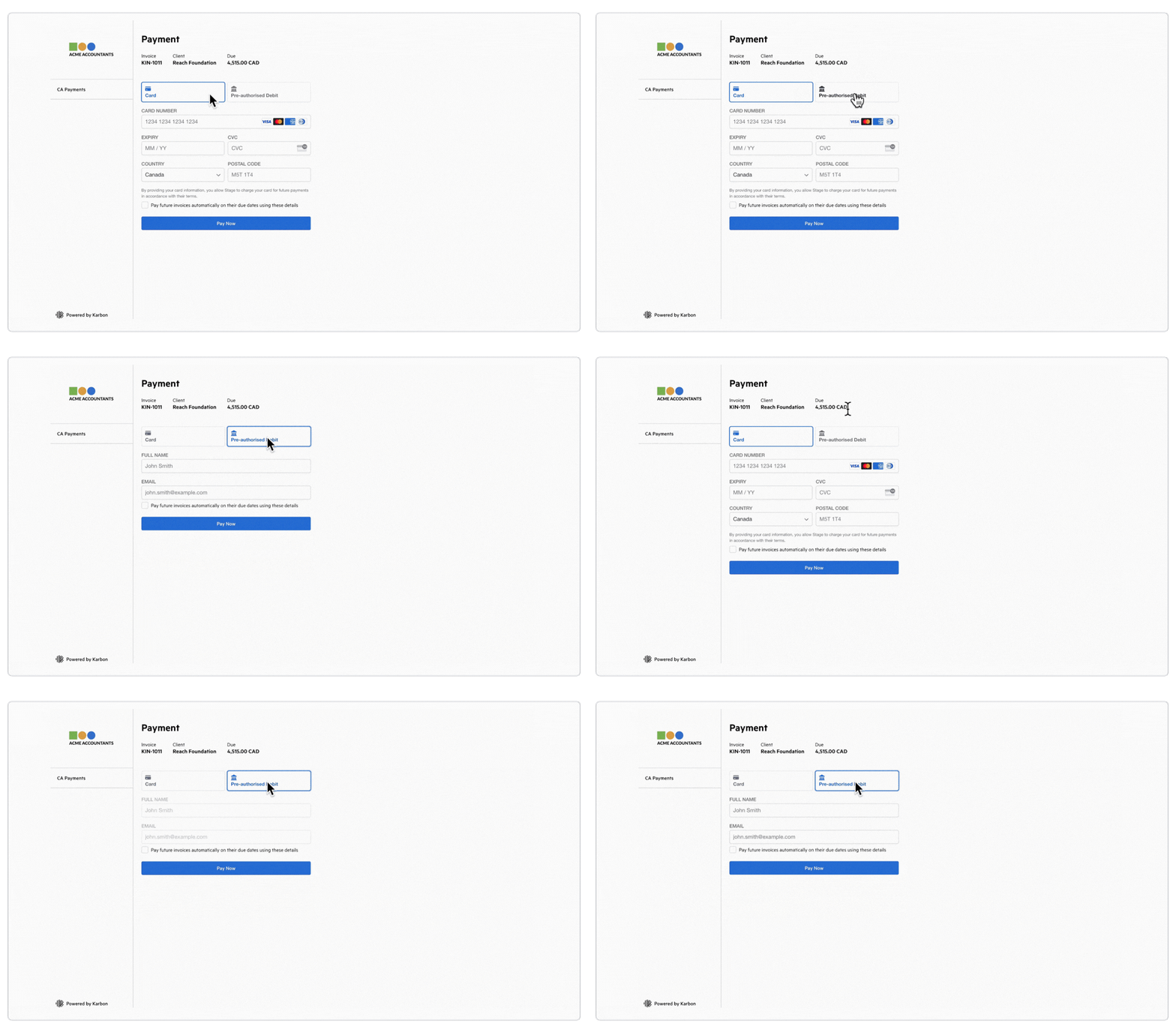
On the payment screen, securely enter your card details. Once you’ve filled everything in, click “Pay Now” to complete the payment.
3. You’re all done
Once your payment has been processed successfully, you’ll see “Invoice Paid“ at the top of the page. You can keep this as your confirmation that payment has been received.
Option 2: Pay by direct debit
Direct debit lets you pay straight from your bank account. When paying an invoice, you’ll be prompted to enter your bank details. You can also choose to save them for automatic payment of future invoices — so you never have to enter them again.
Option 3: Pay by other previously available methods
All other payment methods will remain unchanged (e-transfer, ACH, wire transfer, online banking, credit card by phone, and cheque). Instructions for these methods are indicated on your invoice.
What happens next
Your payment is confirmed automatically.
Once your payment goes through, your invoice is automatically marked as “Paid“ — your accountant will be notified straight away, and no follow-up is needed on your end.
Still have questions?
General questions
Reach out to our portal team directly.
Karbon support for your client portal
If you encounter any issues while using the portal or have questions about its functionality, Karbon Support is here to assist you.